Before you play.
- Chromatic tuner Free
- Metronome Free
- BPM detect & tap tempo Free
- Pitch pipe Free
More with ProRecorder, Setlists, Frequency Analyzer, dB Meter, and Beat Builder.
Start with a free toolFor every instrument. Every practice.
Your tuner, metronome, practice room, and music reference. Together in one browser.
Four essential tools are free. Open the app and start playing — no download or account needed to begin.
A quick warmup or a focused session. Your next step is close at hand.
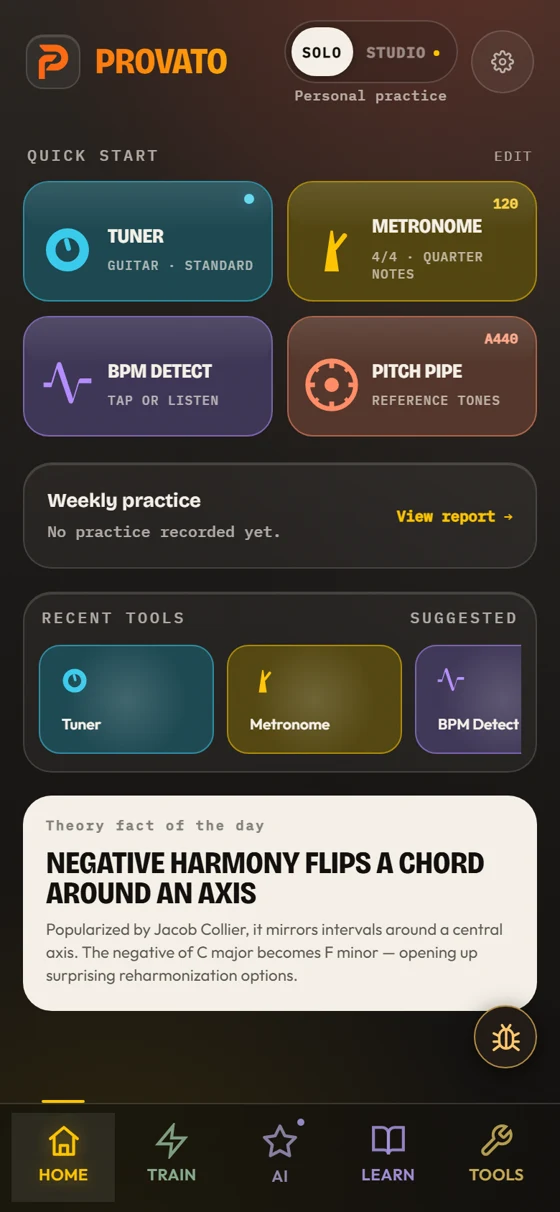
Train brings daily challenges, a session builder, and games such as Keep the Time and Intonation Hold together. Home keeps your tools and Weekly Practice close; AI offers help with a page, question, or recording.
Find your first tool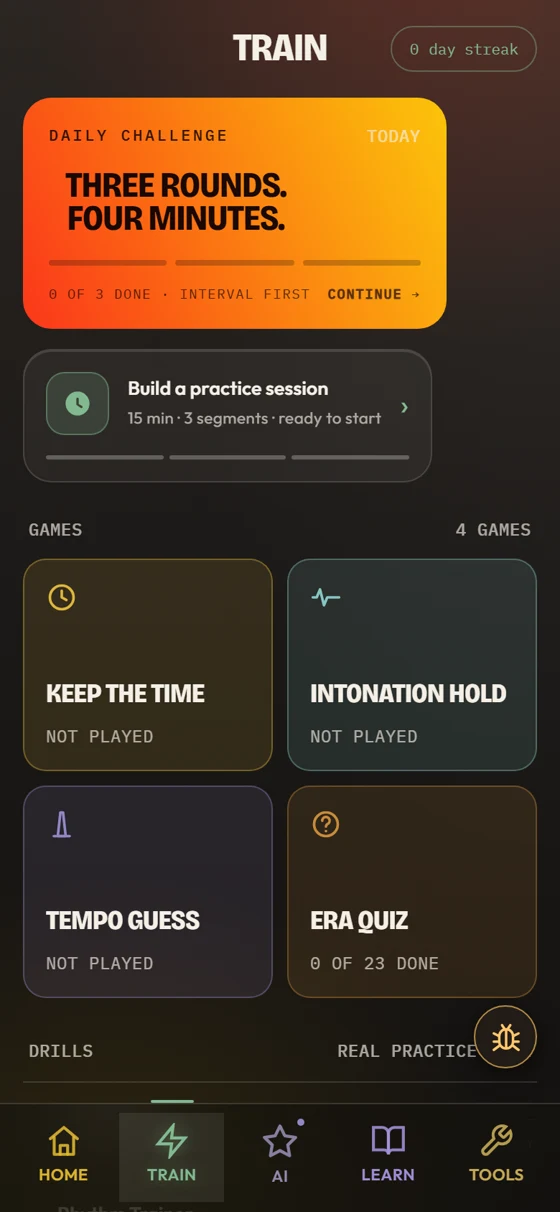
Start with the free essentials. Add Pro when you want more ways to practice, play, and prepare.
More with ProRecorder, Setlists, Frequency Analyzer, dB Meter, and Beat Builder.
Start with a free toolTry a daily challenge, build a session, and follow your recorded activity in Weekly Practice.
Play a chart, find a scale, or preview Scan & Play. These examples run right here; the full tools are in the app.
Photograph a lead sheet or upload an image or PDF. Review and correct the recognized notes and chords before playing. Save lead sheets to Personal Charts in Fake Book, or open a reviewed full score in Score/MIDI.
Step 1 of 3
In the app, select an image or PDF, then choose “Analyze with AI.”
Check the title, key, tempo, form, and recognized music. Correct errors and review every warning.
After confirmation, the app saves your reviewed lead sheet to Personal Charts and opens it in Fake Book.
Try Scan & Play in the app ↗Illustrated steps only. This preview uploads no files, runs no AI scan, and saves no music. Scan & Play requires AI access in the app.
Play the current app’s Autumn Leaves chart with its two-chorus piano, bass, and drum performance. Hear the same phrasing, fills, and dynamics you’ll practice with in Fake Book.
Original swing · 2 choruses
Select a start bar, then an end bar to loop.
One tune from the current app, using its chart, performance, and instruments. Explore the full library and alternate feels in Fake Book. Key and loop changes restart the excerpt; tempo changes live.
Piano: Salamander Grand Piano by Alexander Holm, CC BY 3.0, hosted by Tone.js. Drums: the app’s Internet Archive sample collection. Playback: Tone.js (MIT license).
Explore the current app’s scale choices and musical guidance. Choose a root and chord, then hear a scale on the app’s piano.
Choose a scale to hear two passes, up and down.
Scale preview with the app’s current choices and piano. Open Jazz Lab in the app for its full backing band and practice mode.
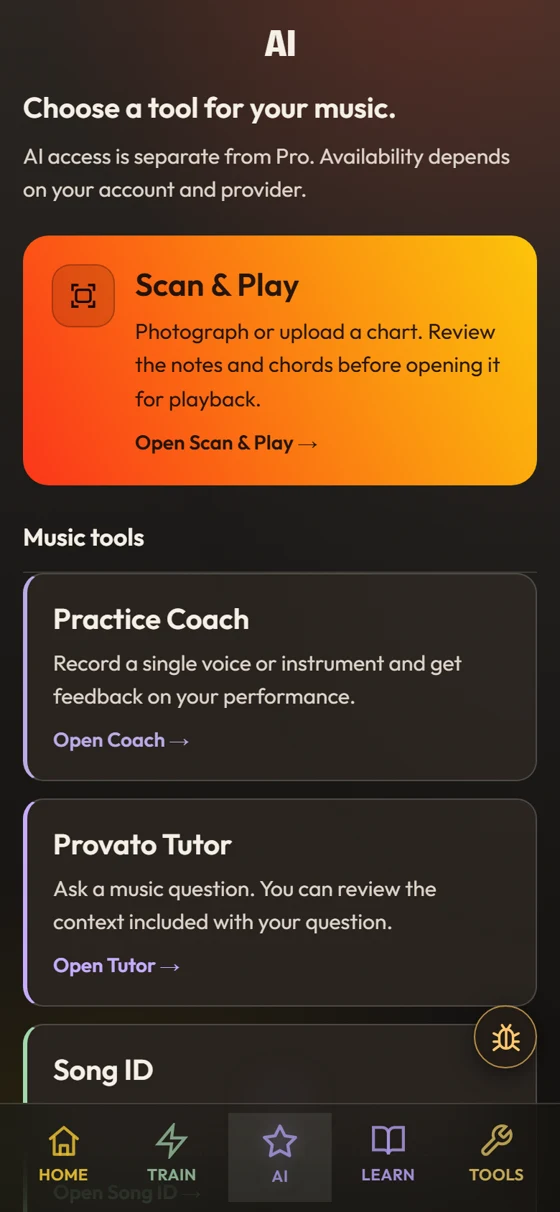
Get help with the music in front of you. Provato AI is a separate $4.99/month add-on; free and Pro tools work without it.
Compare your optionsUpload an image or PDF. Review and correct the notes, then play. Save lead sheets to Personal Charts in Fake Book; open full scores in Score/MIDI.
Record one voice or instrument. Review pitch and timing measurements, AI interpretation, and suggested drills when the measurements support them.
Ask a theory or practice question with musical context. Continue the conversation as you work.
Identify a known recording from a short clip. Explore estimated key, tempo, and available practice actions.
Also includes sight-reading generation, chord suggestions, transcription, and lyric tools. Usage limits apply; check your account’s allowance in the app before subscribing. Backing Tracks 2.0 is coming soon.
Four free essentials. Pro for $9.99 once. Optional AI for $4.99/month, sold separately. Sign in only when you want to purchase, restore access, or use AI.
No account is needed to start with the free tools. Sign in to buy Pro, restore purchased access, or use account-based AI features.
Live pitch and audio tools need microphone permission, including tuning, listening-based BPM detection, recording, and Coach. Song ID can use a recorded clip. Tap tempo, reference tones, theory tools, and chart playback do not need the microphone.
Tuner presets for guitar, bass, ukulele, violin, viola, cello, banjo and mandolin at standard A440, plus drop D, open G, open D, DADGAD and half-step-down. The theory tools are instrument-agnostic; chords and scales show piano and guitar.
Start with the web app at app.provatoapp.com and add it to your home screen. No app-store download is needed. AI requests and account services need an internet connection.
Solo practice history, settings, and saved music use local browser storage. Signing in lets you restore your purchased access on another device; it does not mean your local practice history syncs. Clearing browser data can remove local records.
No. AI requests and sheet-music scanning have usage limits. Sign in and check AI usage in the app for your account’s current allowance. Pro alone does not unlock AI.
If something’s broken, email support@provatoapp.com within 14 days of purchase and we’ll make it right or refund you.